
The dashboard
The whole programme
on one screen
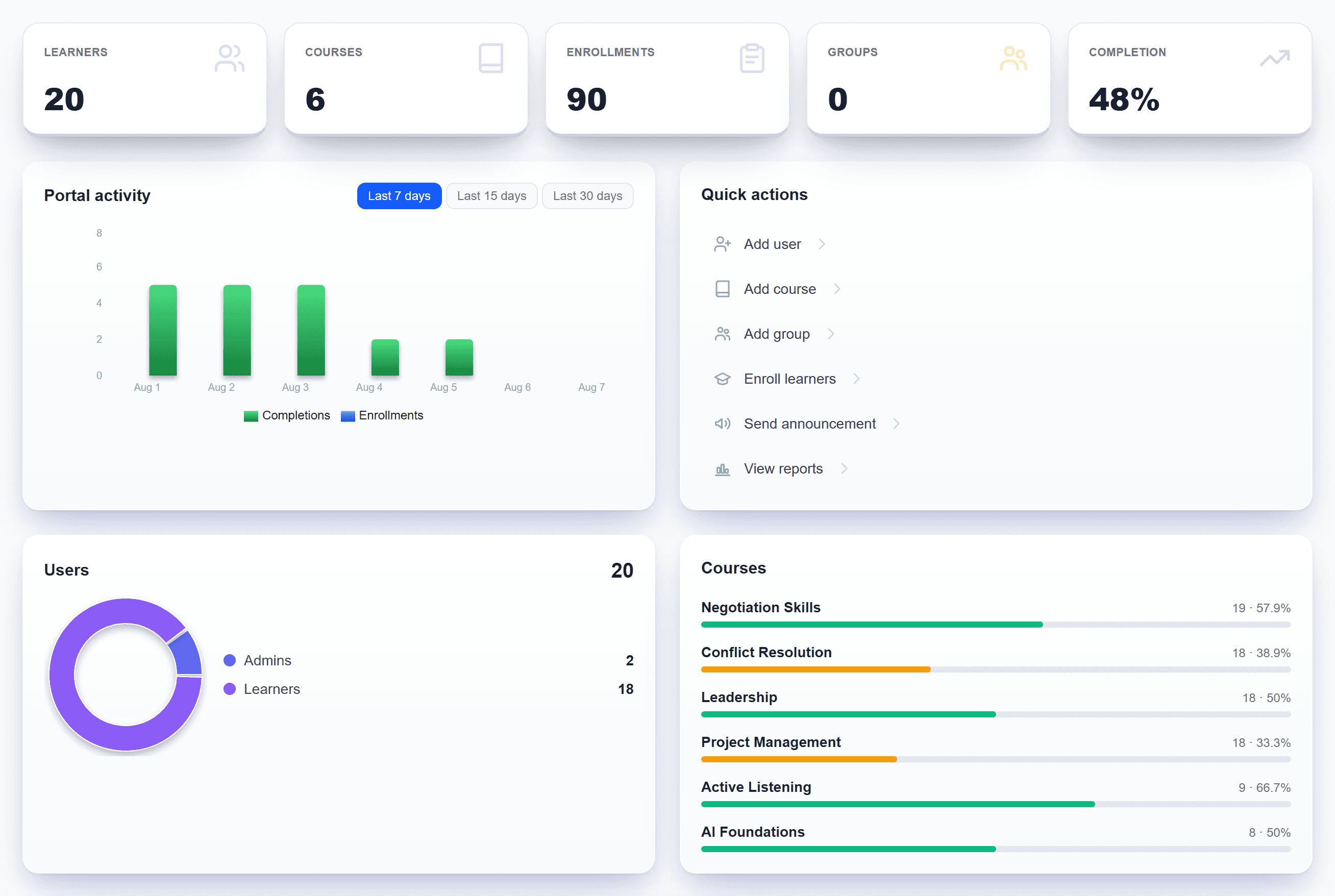
Nobody should have to go hunting for whether training is working. Five headline numbers, progress per course, activity over time, and the people who started and stopped.
- Learners, courses, enrolments, groups and completion rate
- Progress per course, so you can see which content is landing
- Enrolments and completions over the last 7, 15 or 30 days
- Stalled learners, which is where the risk actually sits
The catalogue
Your courses and ours,
in one place
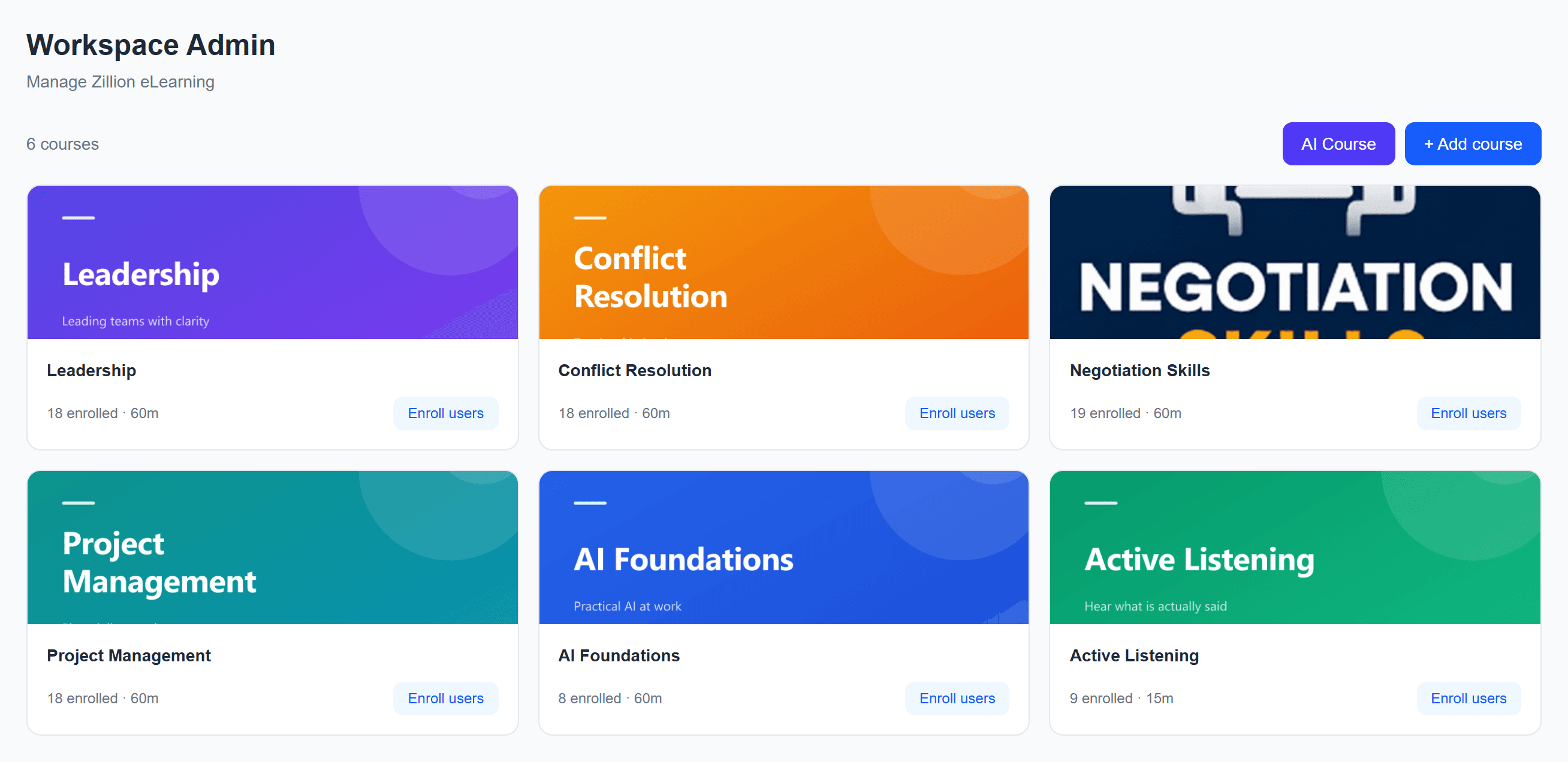
Upload the SCORM packages you already own and they sit alongside the 54 courses that ship with the platform. One catalogue, not a library and a separate list of imports.
- SCORM 1.2, SCORM 2004, xAPI and cmi5 on every plan
- Video, PDF and PowerPoint uploaded directly, with no packaging
- Unlimited courses. Plans differ by seats and storage, not library size
- Categories, thumbnails and search, so a catalogue stays usable as it grows
Learning paths
Sequence it,
and hold the order
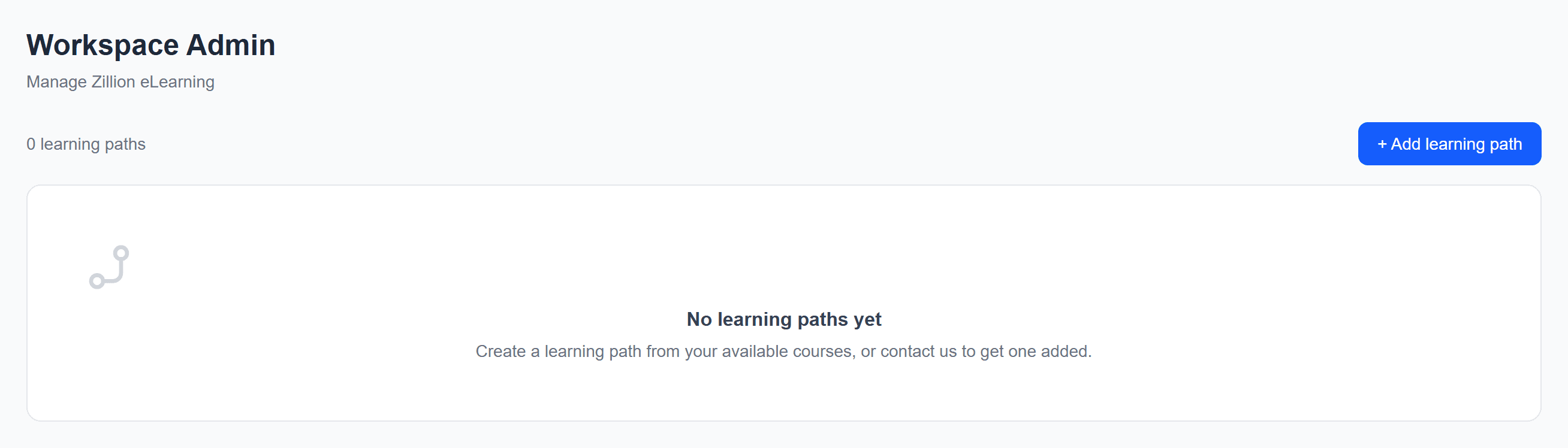
A list of courses is not a programme. Group them into a path, set the order, and each step unlocks only as the last one passes, so nobody skips to the easy module and nobody gets lost.
- Steps unlock in order, gated on a real pass rather than a click
- Assign a path to a person, a group, a branch or a role
- A certificate at the end, issued without an administrator being asked
- The manager notified on completion, and reminded while it is not
Learning Playground
Rehearse the
hard conversation
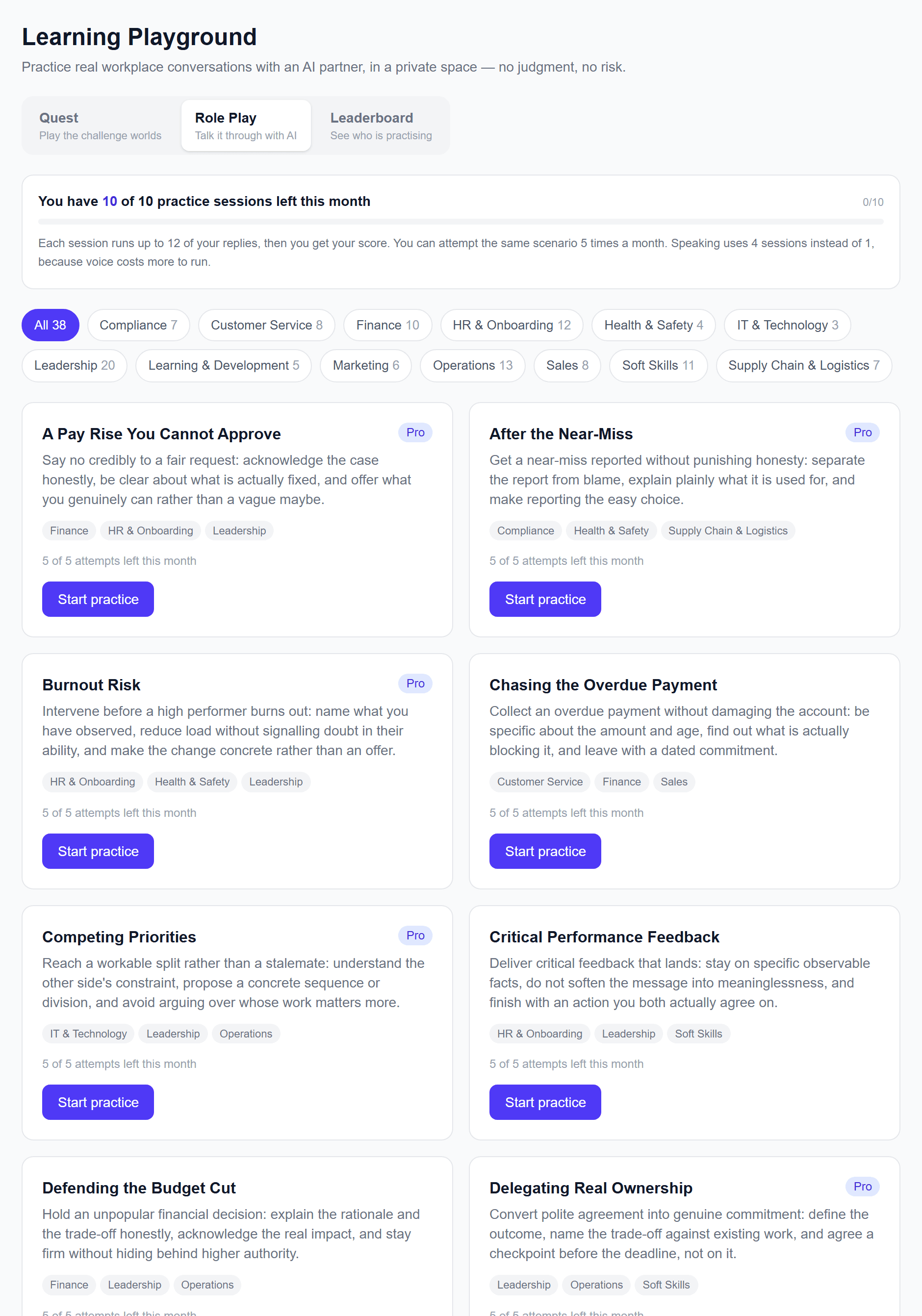
Staff practise against an AI partner, by text or by voice, and are marked against a rubric rather than a quiz. 45 scenarios across 13 categories, plus a game mode built from what managers actually fumble.
- The AI holds a position instead of agreeing with everything said to it
- Scored against a written rubric, so feedback names what was missing
- A manager can read the transcript and the score before coaching on it
- 5 Quest worlds: feedback, conflict, delegation, change and pressure
Reporting
Answer the
sponsor question
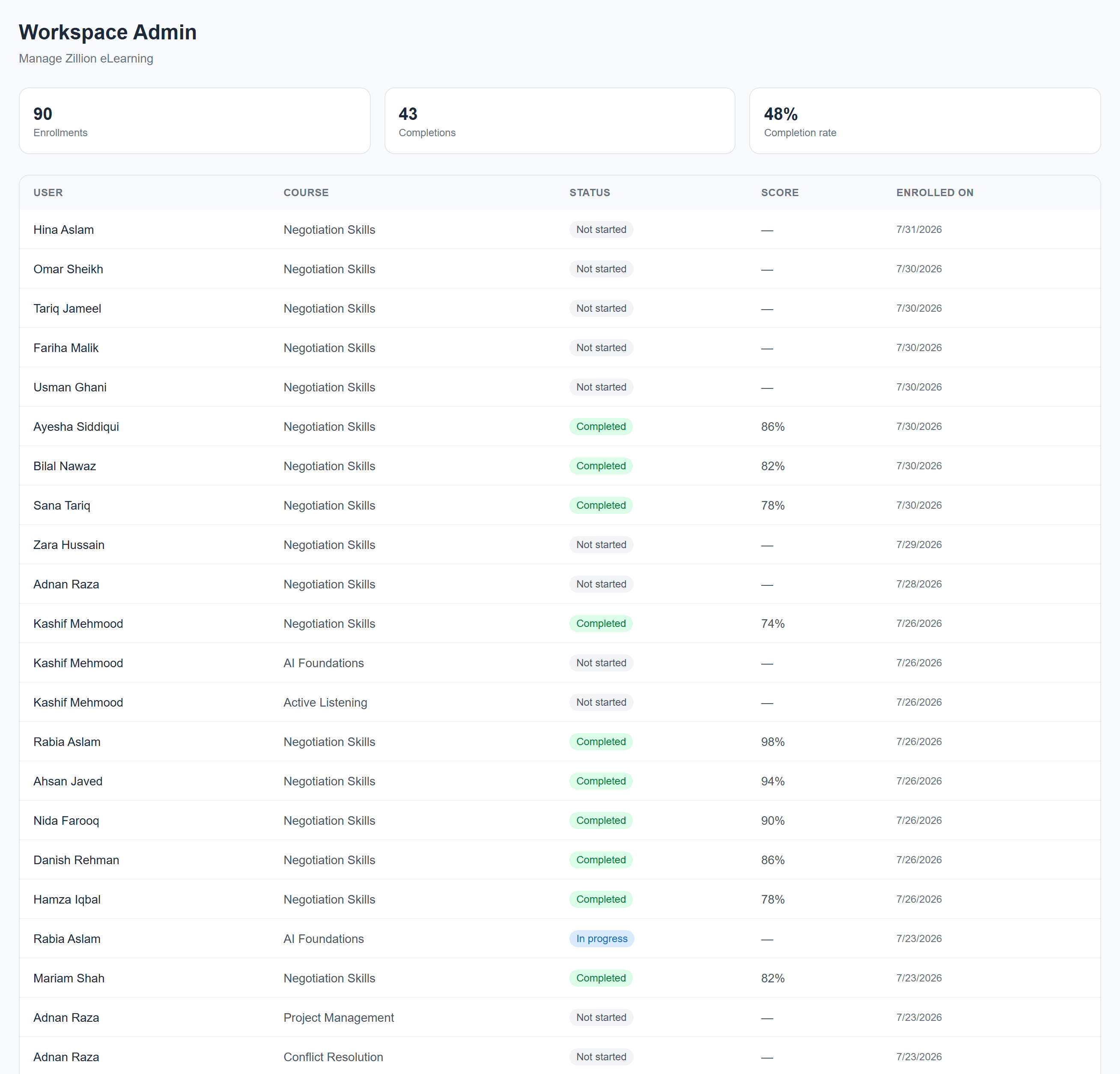
Completion, progress, timelines and a training matrix for compliance, plus custom reports you can schedule by email so the person who keeps asking stops having to ask.
- A training matrix that prints as a document, not a screenshot
- A per learner transcript covering everything assigned, completed and scored
- Managers see their own reports, which is what makes the numbers usable
- Reports scheduled by email, on whatever cadence the audience wants
For the learner
Multiple languages,
and built to be opened
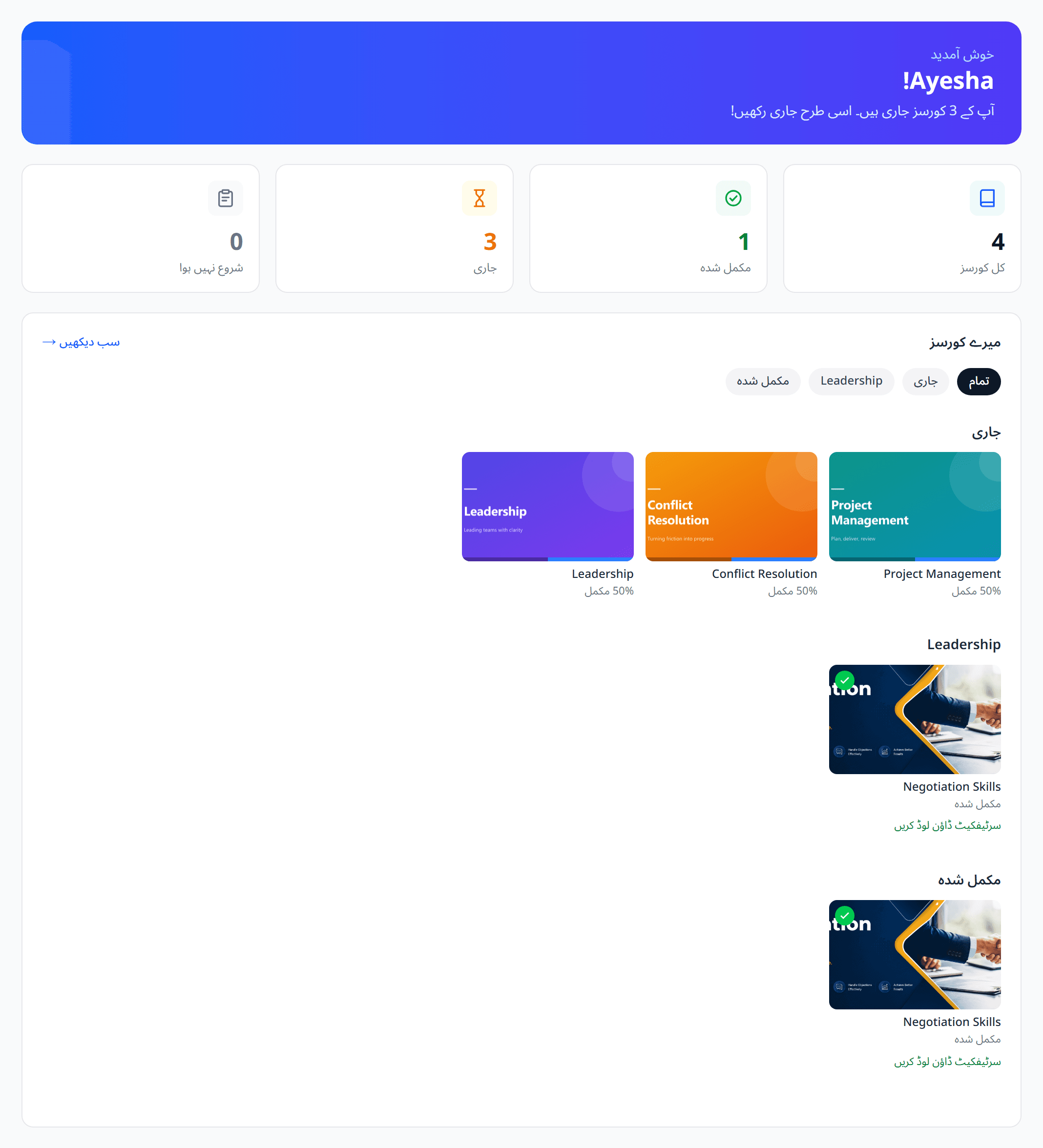
The learner view is the only screen most of your people will ever see, so it carries progress in plain sight, works on a phone, and runs in English, Urdu and Arabic with the layout following the language.
- The whole interface in English, Urdu and Arabic, right to left where it should be
- Courses resume where they stopped rather than restarting
- Recommendations driven by the learner's own skill gaps
- A certificate on completion, filed against the person rather than emailed
Getting started
Live in an afternoon,
not a quarter
There is no implementation project between deciding to use this and using it.
- 01
Create the workspace
Name it and brand it, and it is live at its own address on zillionlms.com.
- 02
Add your content
Upload SCORM you already own, or describe a course and let AI build it.
- 03
Enrol your people
Import a spreadsheet, or let automations enrol by role, branch or start date.
- 04
Watch it land
Completion, progress and gaps on one screen, reports scheduled to whoever asks.